2048 strategy · corner, chain and recovery
2048 Strategy Guide: Corner Anchor, Snake Chains and Recovering From Bad Spawns
2048 looks like a luck game for the first hundred moves and turns into a planning game after that. The players who reach 2048 every time are not swiping faster. They keep the board in one shape, a descending chain that starts in a corner, and they know how to repair it when a random tile lands in the wrong place. This guide teaches that shape, with screenshots from Tile Merge, the 2048 game on this site, and rules checked against its source code.
The rules that matter for strategy
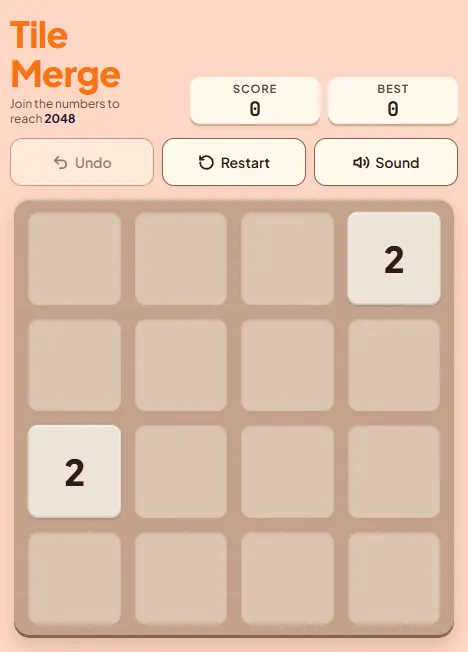
You probably know the basics: swipe, every tile slides as far as it can, and two equal tiles that collide merge into one tile of double value. A few details decide how you should play, and they are worth knowing exactly. Here is how Tile Merge implements them.
- One new tile per move. After every swipe that changes the board, one tile appears on a random empty cell. A swipe that moves nothing does not count and spawns nothing.
- Spawn odds: 90% a 2, 10% a 4. This is the classic 2048 ratio, and it is exactly what the game's code does. The average spawn is worth 2.2.
- Each tile merges at most once per swipe. A row of 2, 2, 2, 2 swiped left becomes 4, 4, not 8. A row of 4, 4, 8 swiped left becomes 8, 8, not 16.
- Merges happen from the wall you swipe toward. A row of 2, 2, 2 swiped left gives 4, 2; swiped right it gives 2, 4. The pair nearest the destination wall merges first.
- The game ends when all 16 cells are full and no two neighbours match horizontally or vertically.
The once-per-swipe rule is the one most guides get wrong. A perfectly ordered row does not collapse in one swipe; it collapses one merge per swipe, over several moves. That matters for planning, and you will see it in the chain screenshots below.
Controls in Tile Merge: swipe on the board (about 20 pixels of travel commits a direction, and the swipe must be clearly more horizontal than vertical, or vice versa, so diagonal smears do not misfire), or use arrow keys or WASD. U or Z undoes one move, and R restarts.
How scoring works
Every merge adds the value of the new tile to your score. Merging two 64s gives 128 points. That has a neat consequence: building a tile of value 2n entirely from spawned 2s earns (n minus 1) times its value. A 2048 tile built that way is worth 10 x 2048 = 20,480 points, and a 4096 is worth 11 x 4096 = 45,056. Spawned 4s skip one merge each, so real scores land a little below those figures.
The board's total value grows only through spawns, by 2.2 per move on average. To have 2048 worth of tiles on the board, you need roughly 930 moves, and around 90 of those spawns will be 4s. That is a long game, which is why the shape of the board matters more than any single clever swipe.
| Target tile | Score from building it out of 2s | Approx. moves needed | Chain tiles held near the end |
|---|---|---|---|
| 256 | 1,792 | about 115 | 7 (2 to 128) |
| 512 | 4,096 | about 230 | 8 |
| 1024 | 9,216 | about 465 | 9 |
| 2048 | 20,480 | about 930 | 10 (2 to 1024) |
| 4096 | 45,056 | about 1,860 | 11 |
The last column is the real constraint. To make a 2048 you need one each of 1024, 512, 256 and so on down the line at the moment just before it forms. That is up to ten tiles that cannot merge with each other, on a 16-cell board. They have to be arranged so they collapse in order, and that is what the three rules below are for.
Rule 1: pick a corner and keep it
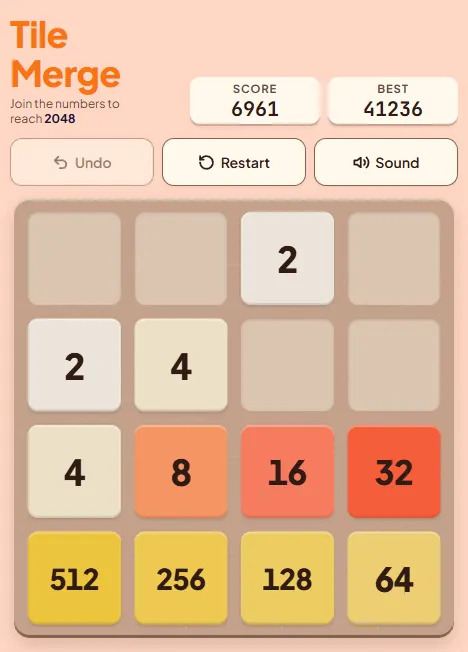
Choose one corner for your biggest tile and never let it leave. In this guide we use the bottom-left corner. That means you mostly swipe Down and Left, use Right when the bottom row is full, and treat Up as an emergency move.
Why it works: a tile in a corner can only be pushed out by the two directions that point away from it. If the bottom row is full, Right cannot move the corner tile either, because there is no empty cell for it to slide into. That leaves Up as the only dangerous direction, and you can almost always avoid one direction.
Rule 2: monotonic rows
A row is monotonic when its values only go down (or only go up) from one end to the other. Your bottom row should descend away from the corner: 512, 256, 128, 64. When the smallest tile at the end is matched, the merge creates a tile equal to its neighbour, which can merge on the next swipe, and so on back to the corner.
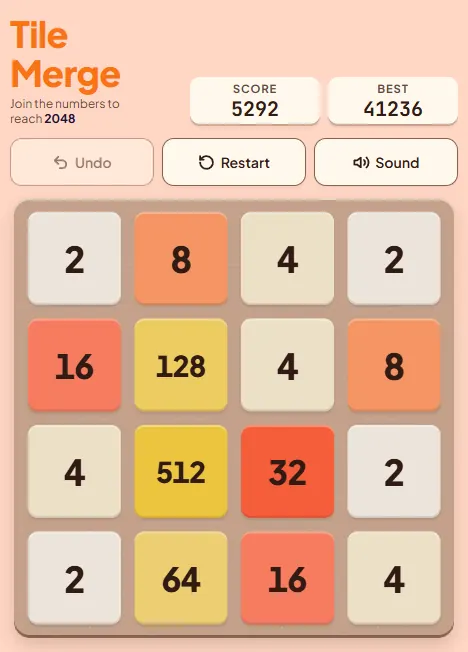
Compare that with a scattered board, where the big tiles sit wherever the last swipe left them:
Rule 3: build a snake chain
One monotonic row is not enough, because a 2048 needs about ten chain tiles and a row only holds four. The answer is to continue the chain into the second row in the opposite direction, then into the third row, and so on. The path winds back and forth like a snake, which is where the name comes from.
In practice the chain is rarely this perfect, but the direction of each row is what you protect. Build the small end of the chain, feed it into the row below, and let the merges walk down the path toward the corner. Here is a real example from Tile Merge:
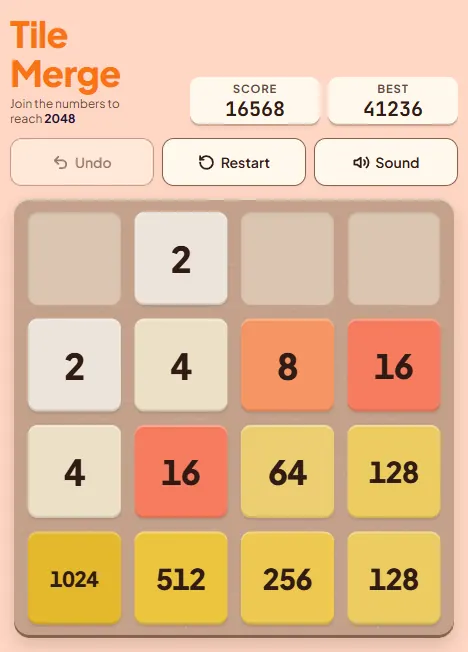
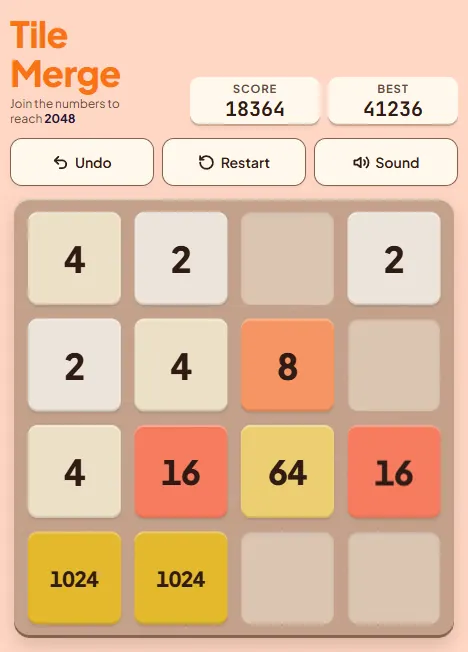
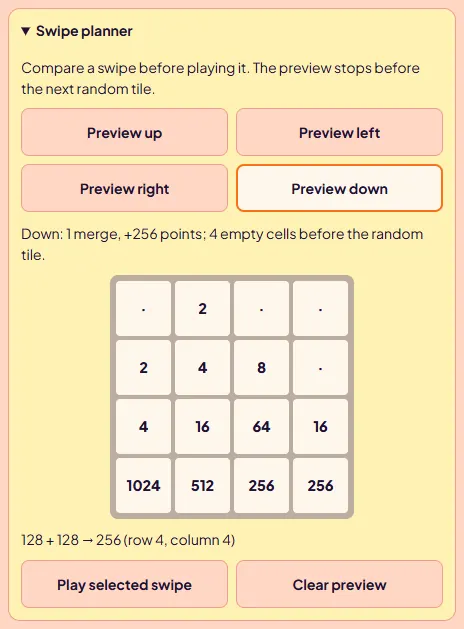
Three swipes, three merges, one at a time: Down merges the two 128s into 256 at the end of the bottom row, Left merges 256 + 256 into 512, and another Left merges 512 + 512 into 1024. One more Left joins the two 1024s into 2048. Notice that every one of those swipes was Down or Left, and the corner tile never moved.
Recovering from a bad spawn
Sooner or later you will be forced to swipe Up, or a 2 will land in a cell you needed. The most common disaster looks like this:
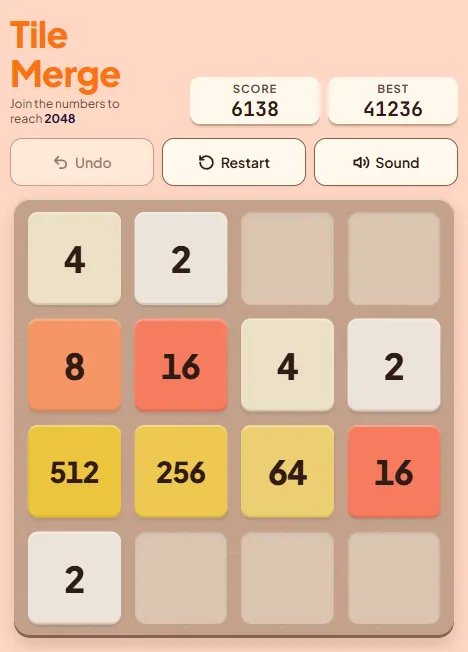
What to do, in order of preference:
- Undo, if it was your last move. Tile Merge keeps a one-move undo (toolbar button, U or Z). If the Up swipe was a slip, undo it immediately. You only get one step back, so do not make another move first.
- Refill the corner fast. If you were forced, swipe Left so the bottom row compacts toward the corner, then grow the small tile there by feeding it matches from the right. Merges that land on the corner cell help you most.
- Switch corners as a last resort. If the big tile ends up in a different corner, sometimes it is better to adopt that corner than fight to get it back. Decide quickly and commit.
Use the swipe planner before risky moves. Under the board, the Swipe planner previews any direction and tells you how many merges and points it gives and how many empty cells remain, without spending a move. It stops before the random spawn, so it cannot show you where the next tile will land, but it does show whether a swipe will pull your corner tile.
Ten concrete tips
- Fill the corner row first. A full bottom row makes Right a safe move. With a gap in it, Right drags your corner tile out.
- Prefer moves that keep empty cells. Count empty cells after each candidate move. Fewer than four for several moves in a row is an early warning.
- Merge on the chain side. When two swipes both merge the same pair, pick the one that leaves the new tile next to the chain, not out in the open.
- Do not chase every merge. A merge in the top row that drags a chain tile out of order costs more than it scores.
- Keep the second row moving the opposite way. If the bottom row descends left to right, the row above should ascend left to right so its biggest tile sits right above the smallest bottom tile.
- Clear 4s early. A spawned 4 can sit in the workspace for a long time if nothing matches it. Pair it with another 4 or a pair of 2s before it gets walled in.
- Plan the next two moves, not ten. Spawns are random, so deep plans fall apart. Look at what your swipe does and what the board needs next.
- When forced to swipe Up, swipe Up only if the corner column is full. A full column with no vertical matches cannot move, so the corner tile stays put.
- Spend your undo on slips. Undo puts the board back exactly as it was before your last swipe, and you only get one step. Save it for the misswipe that pulls your corner tile, because once you make another move it is gone.
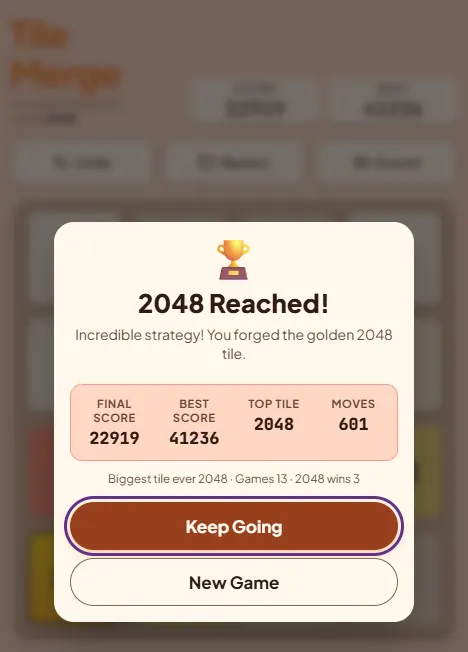
- After 2048, keep going. The win screen offers Keep Going. The same chain carries on to 4096; the difference is that you now hold eleven chain tiles with five spare cells.
Common mistakes
Swiping in circles. Up, Right, Down, Left on repeat feels productive early and wrecks the board by move 150. It never lets a big tile settle anywhere. Fix: pick a corner on move one.
- Swiping Right with a gap in the corner row. The corner tile slides one cell out and a spawn can take its place. Fix: only swipe away from the corner when that row is full.
- Leaving a small tile inside the chain. One 8 between 512 and 128 blocks every merge on that row, as the diagram above shows. Fix: deal with it immediately, either by matching it or by moving the row so it falls out.
- Expecting a one-swipe cascade. Each tile merges once per swipe, so a chain collapses over several moves. Fix: make sure the swipes you need next are safe ones.
- Panicking at a full board. A full board is not over while neighbours match. Look for any vertical or horizontal pair before reaching for Up.
- Ignoring the planner on hard boards. It is free and it does not use a move.
FAQ
What are the odds of a 4 spawning in 2048?
One in ten. Tile Merge spawns a 2 with 90% probability and a 4 with 10%, the same ratio as the original 2048.
Which corner is best?
None of them. The board is symmetric. What matters is choosing one and sticking with it for the whole game.
Can a single swipe merge three tiles into one?
No. Each tile merges at most once per swipe, so 2, 2, 4 swiped left gives 4, 4, not 8. The 8 comes on the next swipe.
How many moves does it take to reach 2048?
Roughly 930 on average, because the board only gains value through spawns, which average 2.2 per move.
Can I undo after Game Over in Tile Merge?
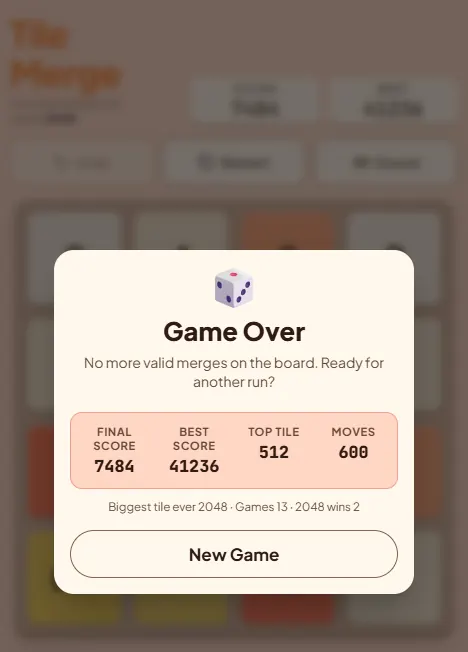
Yes, one move. Undo works after a loss too, so a misswipe that ended the game can be taken back. It is strictly one step.
Who made 2048?
Gabriele Cirulli released the original 2048 in 2014 as a free web game. Tile Merge is this site's own version of the same puzzle.
What score do I get for reaching 2048?
Around 20,000. Building a 2048 from 2s is worth 20,480 points; each spawned 4 skips one small merge, so real totals land a little lower.
Pick a corner and try the chain on a real board. One-move undo has your back.
Play Tile Merge